01Main image
Lead with product clarity
Create a clean, centered product view for the primary listing slot, then review silhouette, crop, and edge quality.

AI product imagery / ecommerce
Build the white-background main image, lifestyle scenes, and detail-ready variants in one visual project. Review every slot around the same product before you export the pack.
Designed for product-image workflows and creative review. Marketplace acceptance still depends on each channel's current policies.
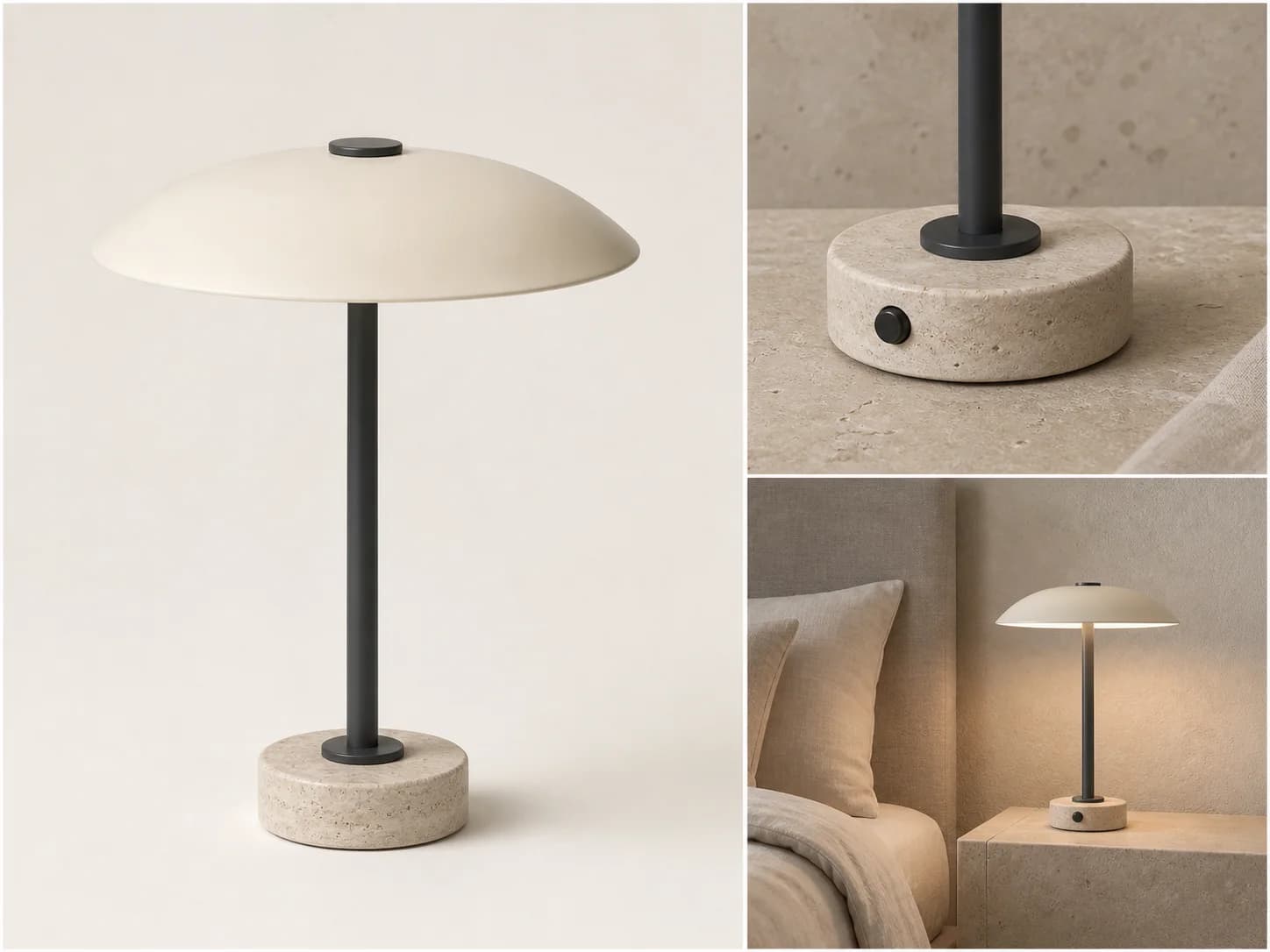
Plan the pack, not isolated prompts
A useful ecommerce image set balances clarity, context, and product fidelity. PiPiPix organizes those decisions as named deliverables inside one project.
Create a clean, centered product view for the primary listing slot, then review silhouette, crop, and edge quality.
Place the same product in a relevant environment so shoppers can understand scale, use, and mood.
Use a tighter composition to highlight controls, surfaces, construction, or another buying detail.
Carry approved product imagery into seasonal, social, or merchandising placements without starting over.
Reference-driven continuity
Your uploaded product photo anchors the pack. Each result stays reviewable against the same reference so visual drift is easier to catch before delivery.

A controlled listing workflow
The workflow separates product identification, deliverable planning, generation, and review so teams can make decisions without losing the original reference.
Start with a clear reference photo and confirm the product category before planning the pack.
Choose the white main image and relevant lifestyle slots, then set campaign context when needed.
Run the pack around one shared product reference and compare the results inside the project.
Adopt the strongest image for each slot, regenerate weak results, and download the approved set together.
Built for real merchandising moments
The same workflow supports a focused launch, a catalog refresh, or a broader campaign without turning every deliverable into a separate task.
Build a clear primary image and supporting scenes for a structured listing review.
Reuse the same pack logic when products need refreshed environments or seasonal presentation.
Use adopted product imagery as the visual foundation for social and promotional creative.
Clear scope, cleaner review
Use a sharp product photo with the full silhouette visible, limited obstruction, and enough detail to judge shape, materials, and defining features.
The reference image anchors each slot, but generated imagery can still drift. Review product shape, labels, controls, colors, and edges before adopting any result.
Yes. Enable the slots you need, review them individually, and regenerate a specific slot without rebuilding the entire pack.
No. Requirements vary by marketplace, category, and region. Treat PiPiPix as a production and review workflow, then verify the final assets against the current channel rules.
Start with one reliable reference
Upload the product once, define the deliverables, and keep every approved image attached to the same commerce project.