01Sequence
Plan the visual arc
Move from establishing frame to subject, detail, and resolution so every shot has a clear job.

Visual storyboards / pre-production
Build connected still frames before production starts. PiPiPix helps creative teams explore shot order, subject continuity, product moments, and visual rhythm in one reviewable board.
Generates connected still images for planning and review. It does not generate video.

Make the idea reviewable
A useful storyboard is not a gallery of attractive images. It is a sequence built to answer what happens, what stays consistent, and what the audience should notice.
Move from establishing frame to subject, detail, and resolution so every shot has a clear job.
Anchor the subject, wardrobe, product, palette, and environment across a connected batch.
Put the sequence on one board so creative, brand, and production teams can respond to the same visual plan.
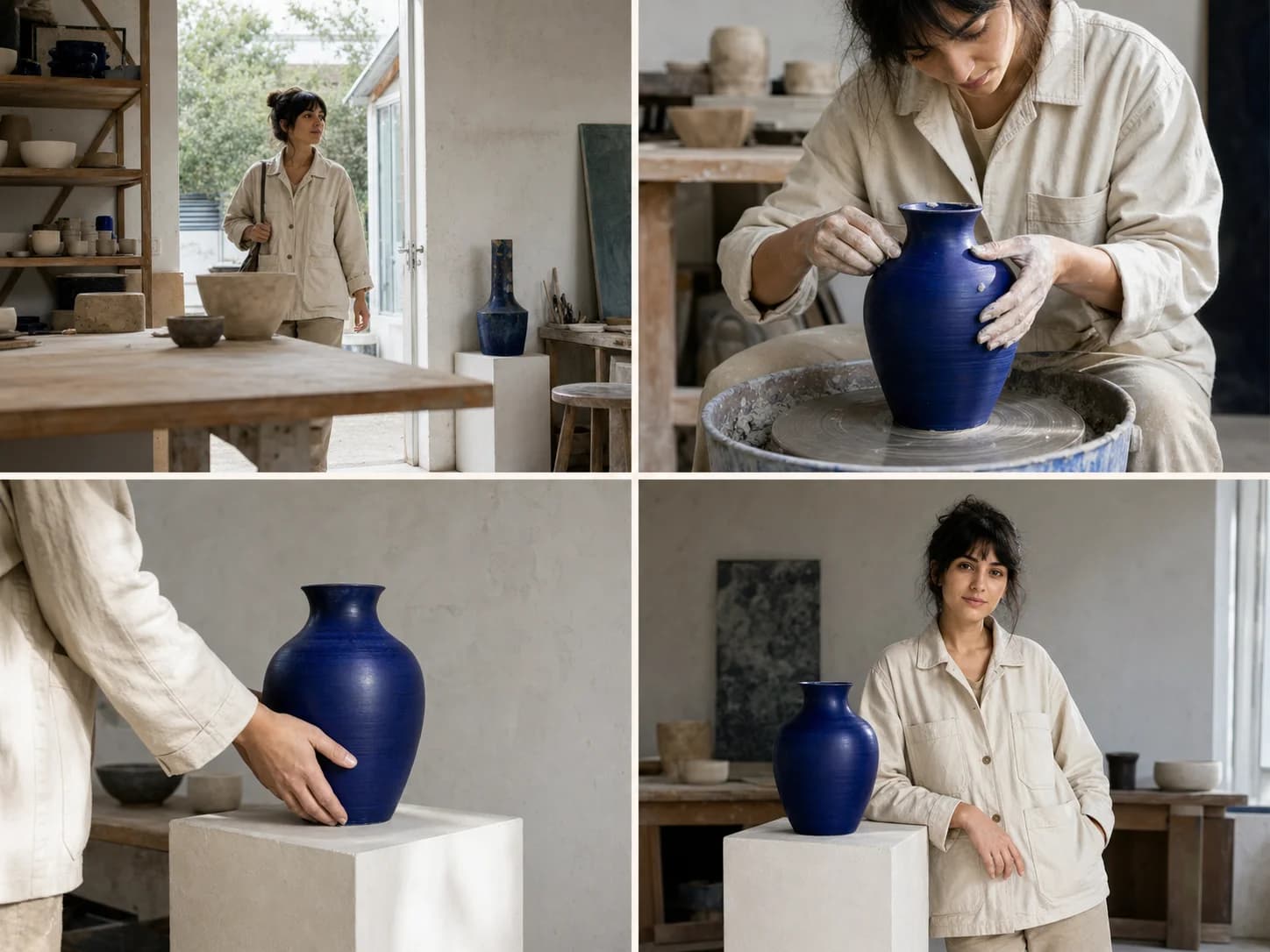
Continuity is the craft
Use a shared brief and reference direction to keep the important visual anchors recognizable while the framing and action move forward.
From brief to treatment
Start with the decision the board needs to support, then generate, compare, and refine the sequence as a whole.
Define audience, subject, product, mood, and the decision stakeholders need to make.
Set the establishing, subject, detail, and resolution beats before generating imagery.
Use the four-frame recipe so one visual direction carries through the complete sequence.
Compare the board at a glance, revise weak frames, then export stills for the treatment or handoff.
Where boards earn their place
Use storyboards whenever alignment is more valuable than another round of disconnected references.
Align a launch idea across key moments before building final ads, social crops, or production briefs.
Show context, interaction, defining detail, and final product emphasis as one commercial sequence.
Make framing, pacing, mood, and transitions concrete enough for a client or production partner to discuss.
Practical questions
No. This workflow generates connected still frames for planning, treatments, and review. You can hand those frames to a video production or editing workflow afterward.
Yes. Start from an owned reference image when identity or product form matters, then describe what must remain stable across the sequence.
You can compare the full board, identify the frame that breaks the sequence, and regenerate or refine that output before final handoff.
Ready for the first frame?
Open the four-frame workflow with a clear starting structure, then make the board specific to your product, story, and production decision.